

article
Creating the Tuition & financial aid subsite: a UX process
The problem
Financial information was spread across different parts of the website, making it difficult for students to find and discover the information that applied to them.
Our process
We followed an iterative UX design process. First, we set out to understand the needs and pain points of our different student audiences (undergraduate and graduate students, Quebec residents, international students, etc.) by conducting a series of user interviews. We also worked closely with our Concordia partners – the Financial Aid and Awards Office, Student Accounts Office, and the School of Graduate Studies. Our students can only tell us their perspective, but our Concordia partners provide insight into information students should learn along the way, steps they should take and pitfalls to avoid. They also have their own behind-the-scenes needs, goals and constraints. They provide a lens into the values that the University wants to communicate to students.
Step 1 – Testing a new framework
In consultation with our Concordia partners, we developed a new framework that brought the two subsites together under one landing page. We then built some basic AEM pages to create an interactive prototype to test with our students. Next, we met with students and conducted interviews to gain insight into their needs and pain points. Students were then asked to test our prototype by looking for information students typically search for (e.g., cost of tuition, scholarships etc.).
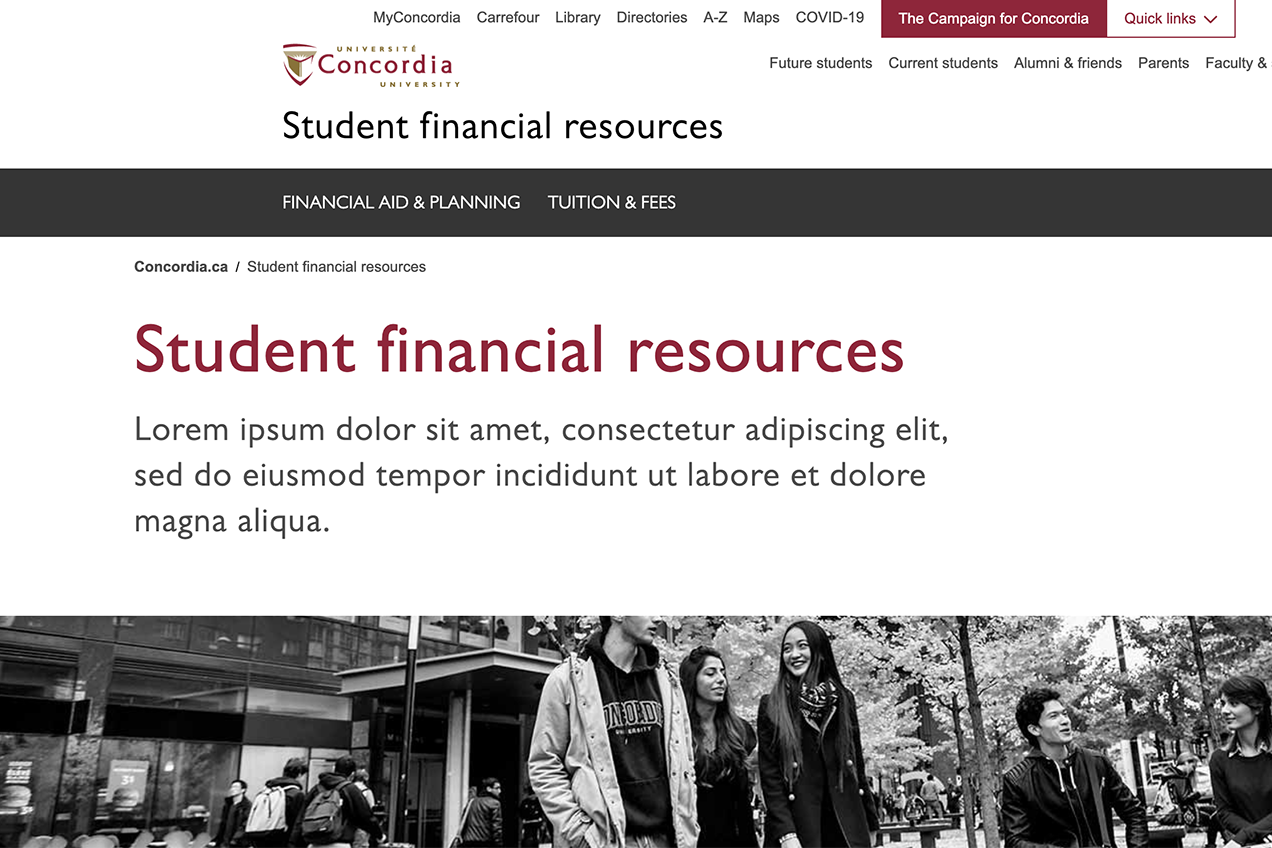 Screenshot of the initial prototype
From our student interviews, we learned the order of information students sought and the next steps they would take. Students needed 1) to know how much university would cost and 2) how they would cover these costs.
Typically, students needed to estimate how much tuition would be and to account for other costs, such as the cost of living. Next, students would look at 3) how they could offset these costs with a) funding or b) employment and lastly, they would explore c) loans.
Finally, we discovered that students struggled to identify funding opportunities for which they were eligible. A list of opportunities was presented in alphabetical order based on the name of the funding, and students had to click through to another funding page to learn more about the funding and their eligibility. They had to access a PDF to get even more detailed information. It was a time-consuming activity. In actuality students wanted to quickly 1) identify funding opportunities they were eligible for 2) determine the amount of the funding 3) find the deadline to apply 4) and learn about the application process.
- which labels and terminology worked for students and where we were falling short
- how students expected information to be grouped together.
Equipped with a better understand of our student's needs, decision making processes, workflows and terminology we had a clear path forward with how to improve our information architecture and navigation model.
Step 2 – Designing solutions
Following our usability study, we realized that content in the two subsites needed to be merged into one site. With the blessing from our Concordia partners, we:
- moved forward with a new navigation model that grouped content together to align with students’ expectations.
- changed page layouts and the order of information on the page to help students find what they needed on the page.
- we also added cross-page navigation to help anticipate the students' next steps and get them to where they need to go.
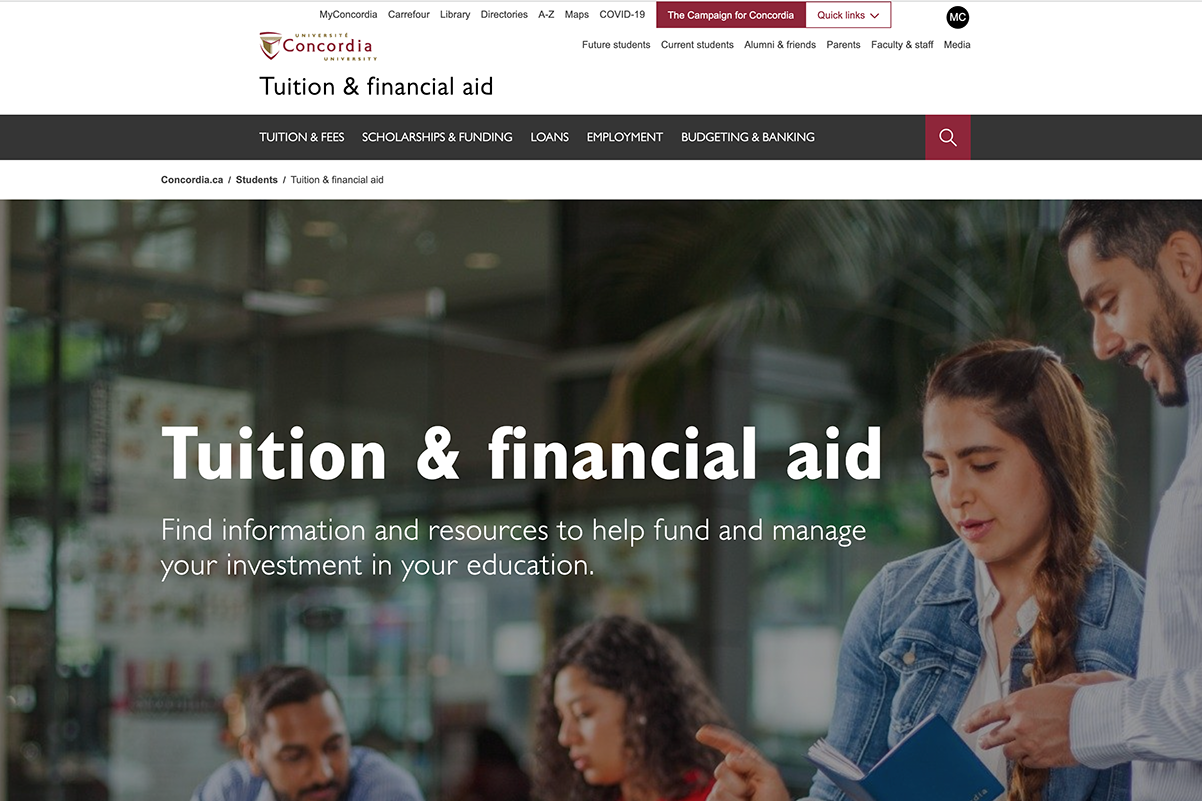 Screenshot of the new navigation model.
Following some high-level structural changes, we started a deep dive into understanding how funding works for undergraduate and graduate students. We learned about the differences and relationships among scholarships, awards, bursaries, and loans, along with the processes for getting the funding.
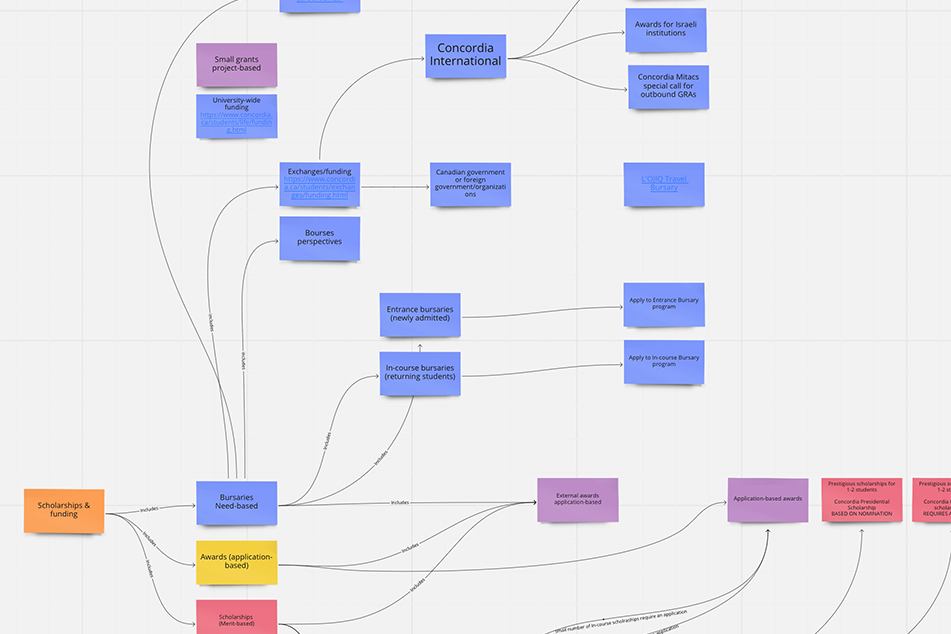 Screenshot of a mind map on scholarships and funding – miro.com
We simplified the complexities for students as much as possible. Students needed to:
- understand the differences between available funding opportunities;
- be able to easily identify funding they were eligible for (e.g., for Canadians, international, women etc.);
- determine how much the funding would provide;
- identify deadlines;
- understand the process to get the funding.
Step 3 – Testing our new model
We retested our new model with students again, which was more successful this time. Students were discovering the breadth of information available to them.
Still, we identified more opportunities for improvement that included changes to the page layout and the order of information presented on the page. Students were sometimes missing critical information that was below the fold*. Notably, when we asked students to find instructions for the best way to pay for tuition, they could find the page readily but were not always choosing the correct method. Some students would review all options and then choose the one they thought was best, whereas other students stopped looking after they found an option they believed was suitable. In some instances, there was a better option. We learned from some international students that they struggled to figure out how to pay their tuition and, in some instances, had done so incorrectly and, as a result, had incurred additional fees. International students were choosing to pay their fees online, the first method we presented on the page, but one that was unavailable to use with international banks.
We needed to help students understand the breadth of information on the page and surface important information to try and prevent students from choosing the wrong option.
*The section of a web page that is only visible after scrolling down
Step 4 – Iterate: develop new solutions
Following another round of testing, new solutions needed to be developed to address newly discovered pain points and help students find what they needed on the page. Internal experts reviews and brainstorming sessions led to some of the following solutions:
- developing sticky in-page navigation;
- adding page overview copy;
- surfacing information early on the page to redirect grad students to funding and awards;
- a new application-based awards navigation.
Once these solutions were in place and the content was re-structured and edited for clarity, the website was ready for launch.


